Compatible with Chrome and Edge
Instruction Guide
We have a simple tutorial guide which explains the features of the software extension and what each button inside the extension does. Read our tutorial and welcome guide on how to use the extension to the fullest. Use all the features of this browser software.
If you are interested in other web extensions to install, you might wish to check out the Microsoft Bing Search with Rewards extension.
Microsoft Bing Search with Rewards Extension
It allows you to complete daily offers to get points.
Track the number of points you have currently and the rewards you can redeem with these points.
The ways to get points & get rewarded is search with Bing, browse with Microsoft Edge and shop at the Microsoft and Windows stores to earn rewards.
Sponsored Link:
Other useful extensions
Another extension which would be useful to install is the iCloud bookmarks extension.
It allows to keep your Chrome bookmarks on Windows synced up with the Safari bookmarks on your iPhone, iPad, and Mac.
iCloud will store your website bookmarks so it is accessible even on your iPhone and Mac.
Try these other two extensions and see if it will boost your daily productivity.
Install and open.
- After installing the extension. You click on the icon
Features:
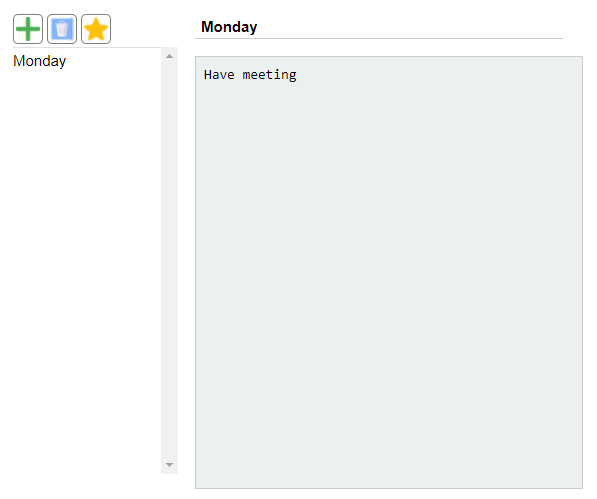
- After installing the extension. You click on the icon to begin writing your notes. Please note all notes are saved to your local computer and NOT uploaded to any servers.
There's plenty of free note-taking software that you can download and use at home. Whether you're looking for something simple that lets you keep track of things like grocery lists and to-do lists, or something more robust that can help organize your life, there are plenty of options out there.
Here are some popular desktop note taking software:
Evernote — The most popular note-taking tool on the market, Evernote has a lot going for it. You can sync all your notes across multiple devices (including Macs, PCs and mobile devices), or just keep them in one place on your computer. It also has a lot of third-party integrations with other services like Dropbox and Google Docs. It's free, but if you want advanced features like OCR scanning capabilities, those will cost you $5 per month or $45 per year.
Microsoft OneNote — Microsoft's version of Evernote is built into Office 365 subscriptions (or available as a standalone download), so it's available virtually anywhere you need it to be. OneNote supports text formatting tools, images and voice recording, making it a great tool for students who need to take notes in class while still being able to access them quickly afterward
Tutorial:
- Install the Extension
-
After installing the extension, click on the icon
 on the toolbar.
Sponsored Link: